| CIS 146 | Microcomputer Applications |
In class, pass around hard disk drive (opened), floppy disk (taken apart), motherboard, RAM, expansion card, CPU. Bring mouse to demonstrate how to clean.
Hardware is the physical part of the computer that we can physically touch. Software is the set of instructions that tell the hardware what to do.
Can you list examples of computer hardware?
Can you list examples of computer software?
Word Processing Software: Software used to create, edit, save and print documents - even term papers! Although we will focus on Microsoft Word in this class, other popular word processing programs include Word Perfect, Works, Word Star, Professional Write, etc.
Spreadsheet Software: Software which uses a grid of rows and columns to perform calculations - the ultimate calculator! Although we will focus on Microsoft Excel in this class, other popular spreadsheet programs include Lotus 1-2-3, Quattro Pro, Visicalc, Multiplan, etc.
Database Software: Software designed to store, sort, and retrieve information previously stored in filing cabinets and index cards - even recipes! Although we will focus on Microsoft Access in this class, other popular database programs include dBase, Fox Pro, Professional File, etc.
The five primary components of the computer are:
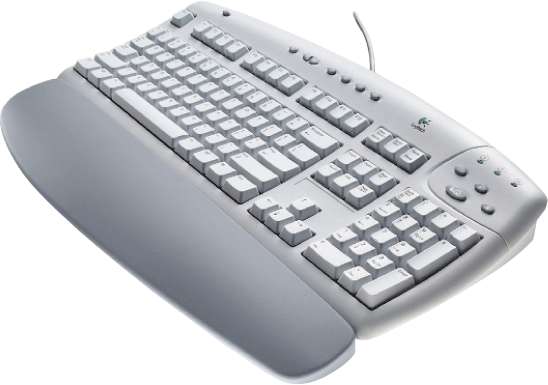
Input: Anything typed, scanned, read, or touched into the computer. Input devices include; mouse, keyboard, scanner, touch screen, microphone, digital camera, etc.
Can you name some input devices?
Input devices include; mouse, keyboard, scanner, touch screen, microphone, or digital camera.
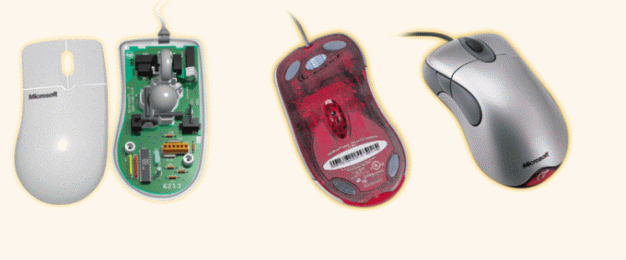
What is the difference between these two mice? Does anyone know how to clean a mouse?
Modern Keyboard
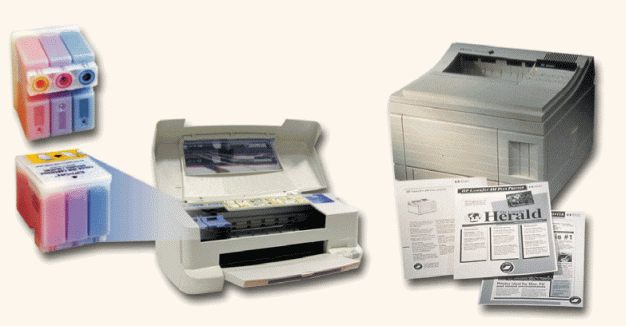
Output: Anything printed or written from the computer. Examples of output devices would include a printer or a monitor (screen).
Can you name some output devices?
Examples of output devices would include a printer, a monitor (screen), or speakers.
Ink-jet printer and a laser printer. Which one is cheaper to buy? Which is cheaper to operate?
LCD monitor - much thinner than a CRT monitor.
Hard Copy vs. Soft Copy: A hard copy is a printed page and a soft copy is something on the screen or stored electronically.
Central Processing Unit (CPU) is the central unit in a computer containing the logic circuitry that performs the instructions of a computer's programs. The term processor has generally replaced the term central processing unit. A microprocessor is a computer processor on a microchip and is sometimes called a logic chip. Take a look at Intel's How Microprocessors Work. See Intel's Processor Hall of Fame and http://computerhistory.org.
Computer memory: Computer memory is measured in unit sizes based on binary numbers since everything in the computer is represented by a switch which has only two states; On = 1 or Off = 0
RAM vs. ROM: RAM stands for Random Access Memory and is the memory that our programs are loaded into when we run a program. It is volatile in that when the power blinks, everything in RAM is lost. When we type a letter or term paper on the computer, everything we type is stored in RAM, until we save it to a file on a disk. Today RAM is measured in gigs (GB or gigabytes) - 1 or 2 GBs of RAM is standard in a PC today. ROM stands for Read Only Memory and holds information that is permanently stored there to hold information the computer needs when it boots (is first turned on).
3.5" floppy disk: Device used to store computer information. There is actually a flexible magnetic film inside the hard protective cover that holds the information - 1.44 megabytes of information! A floppy disk will hold 1,440,000 characters of information. If we were to imagine that a double-spaced, typed page contained approximately 1,000 characters, a little 3.5" floppy disk will hold the equivalent of 1,440 typed pages! A ream of paper that you put in a copier is typically only 500 sheets of paper. This little diskette holds the equivalent of almost three reams of paper filled with double-spaced, typed words!
Although floppy diskettes hold a lot of information, by today's standards, it doesn't really hold much. Small Microsoft Word files are about 25K - which means that we can't get much more than 50 word files on a floppy disk. Floppy disks are quickly becoming a thing of the past due to the small amount of data that can be stored on a floppy diskette. This may seem like a lot, but consider a song in MP3 format - which takes up 3 or 4 MBs of space. We can't even fit one 3 minute song in MP3 format on a floppy disk. The MP3 format is QUITE compressed as compared to the 25 to 50 MBs of space the same song will occupy on a music CD.
Format a disk: When a disk is used for the first time, unless it was pre-formatted when you got it, it must be formatted. Old diskettes can be formatted to remove old files and folders, making it just like a brand new blank diskette. Formatting actually writes blank tracks and sectors on the diskette, erasing everything that was on it - except for a quick format which only clears the directory track allowing the computer to think that the disk is blank. Quick formatting can only be done on a disk that has already been formatted at some time before.
To format a disk, double click the My Computer icon, then right click the drive you want to format, then click FORMAT from the shortcut menu.
USB Drives: Also known as pen drives, thumb drives, jump drives, flash drives, cruzer mini drives, micro vault, memory stick, key drives, etc. Lots of names from lots of companies. USB drives are tiny little storage devices that plug into a USB port. Modern operating systems automatically recognize the storage drive when it is plugged in. Although Windows 98 (very old Windows operating system) does not automatically support USB drives, it will recognize the devices when the driver is installed. Under MY COMPUTER, you will see a new drive letter representing the new storage device. USB Drives operate just like a hard drive or a floppy disk in that they appear as a drive on the computer and can be used to save files in the same manner as we save files on a hard disk or a floppy disk. They come in all shapes and sizes. Some fit on a keychain, and some are just a plug that you can use to read the memory cards found in digital cameras. Here are just a few pictures of some of the different types available. If you decide to buy one, you might find a good deal from a dealer listed on http://www.pricewatch.com and click on Memory - Flash link, or search for USB or flash drives.


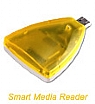
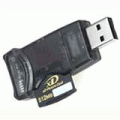
The Universal Serial Bus (USB) technology was introduced to make it easier to attach peripheral devices such as scanners, printers, digital cameras, and hard drives to your computer. It has been extremely successful and is supported by Macs and PCs. There are two flavors of USB available these days: the older USB 1.1 and the newer USB 2.0. USB 1.1 was the original and moves data at up to approx. 12Mbps (1.5MB/sec). USB 2.0 is the newest incarnation and can move data at up to 480 Mbps (60 MB/sec). USB 2.0 will support USB 1.1 devices at the slower rate.
How Kingston makes USB drives.
USB 2.0 is about 40 times faster than USB 1.1. I have a 256MB USB 1.1 drive that takes about 3 and a half minutes to copy to the hard disk. Forty times faster, a USB 2.0 drive can be copied to the hard disk in about 5 seconds. Whew!
They've even come out with USB drives that double as an MP3 Player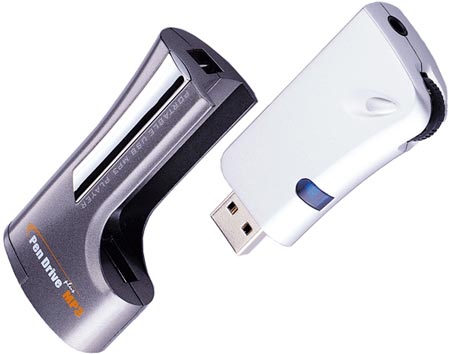 |
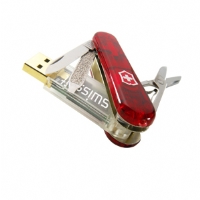 They're getting REALLY small these days... and
they are hiding them in other objects
like a pocket knife, a pen, and even a watch... They're getting REALLY small these days... and
they are hiding them in other objects
like a pocket knife, a pen, and even a watch... 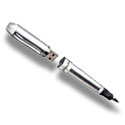 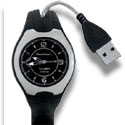 This one is shorter than a paper clip... 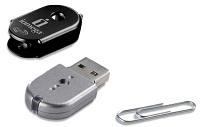 |
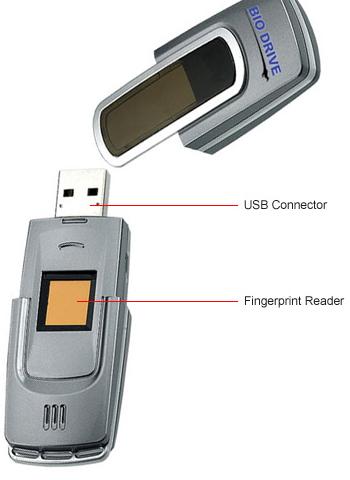 |
and making them EXTREMELY TINY (smaller than a key) and the size of a credit card...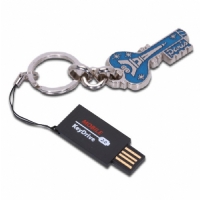 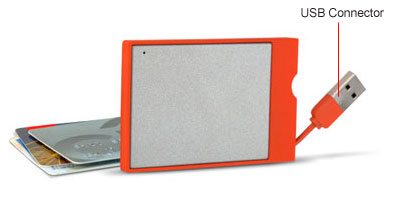 And they're making them inside a leather case... And, making them more durable (water and shock resistant for camping) - AND more secure (finger print reader on left and bottom right)... 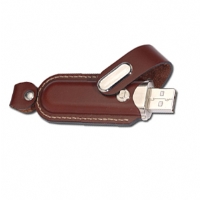 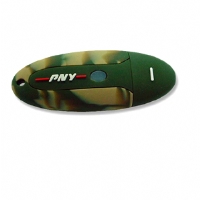 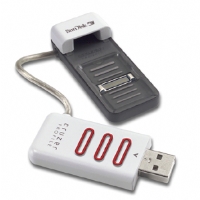 |
Here is a link to Tiger Direct's USB devices - http://www.tigerdirect.com/applications/category/category_usbflash.asp
USB Drives are great for transporting large files or for just keeping all your data in a portable device that you can use anywhere. Most PowerPoint files are too big to fit on a disk (especially those with graphics, sound or video) and USB drives make transporting large PowerPoint files quite easy.
Hard disk: Device used to store computer information - hardware
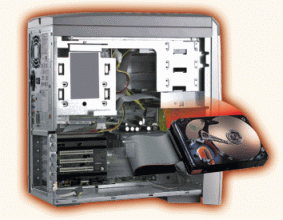 usually mounted inside your computer case.
Instead of storing information on a flexible magnetic film, like a floppy
disk, hard disks use rigid steel surfaces (platters), inside the drive, to store
information - and lots of it!
Inexpensive hard drives today will hold 40 to 80 gigs of information. That is
40,000,000,000 to 80,000,000,000 characters! If you attempted to stack up 3.5"
floppy disks, one on top of the other, to get the same amount of storage, you
would have a stack of floppy diskettes 350 to 700 feet tall - you'd need a stack
of 27,780 floppies! For less than $80 in 2002, you could buy a 40GB hard drive.
usually mounted inside your computer case.
Instead of storing information on a flexible magnetic film, like a floppy
disk, hard disks use rigid steel surfaces (platters), inside the drive, to store
information - and lots of it!
Inexpensive hard drives today will hold 40 to 80 gigs of information. That is
40,000,000,000 to 80,000,000,000 characters! If you attempted to stack up 3.5"
floppy disks, one on top of the other, to get the same amount of storage, you
would have a stack of floppy diskettes 350 to 700 feet tall - you'd need a stack
of 27,780 floppies! For less than $80 in 2002, you could buy a 40GB hard drive.
CD-ROM: Stands for Compact Disk Read Only Memory. Device used to store
large amounts of information - 650MBs on one CD! CD-ROMs use laser technology to
store information.
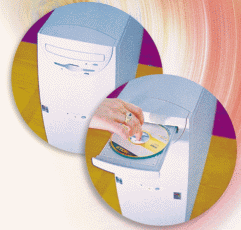 Compare this storage capacity to a 1.44MB floppy disk.
Although CD-Rs (compact disc-recordable) and CD-RWs (compact disk-rewritable) allow the user to store information on a CD, the process
requires several steps using special software to place the image on a CD. You
can't just save a file from a word processor on a CD. Rather, you save the file
on the hard drive, then run special CD writing software to burn a copy of the
file (usually hundreds or thousands of files and directories) on the CD. It can
take as long as 30 minutes to burn 650MBs of information on a CD at 4x speeds.
Today, CD burners are much faster.
Compare this storage capacity to a 1.44MB floppy disk.
Although CD-Rs (compact disc-recordable) and CD-RWs (compact disk-rewritable) allow the user to store information on a CD, the process
requires several steps using special software to place the image on a CD. You
can't just save a file from a word processor on a CD. Rather, you save the file
on the hard drive, then run special CD writing software to burn a copy of the
file (usually hundreds or thousands of files and directories) on the CD. It can
take as long as 30 minutes to burn 650MBs of information on a CD at 4x speeds.
Today, CD burners are much faster.
DVD-ROM: Stands for Digital Video Disk ROM. Device used to store very large amounts of information - 4.7GBs to 17GBs on one DVD-ROM. Compare this storage capacity to a .65GB (650MB) CD! We're talking about a lot of storage space! Think about how many full floppy disks would fit on one 17GB DVD - we would have to divide 17,000MBs (17GBs) by 1.44MB to get the answer. Wow! You can see why some people are predicting that the floppy disk may soon be a thing of the past. Some new computers today ship without a floppy disk drive at all.
Modem: Modem is a hardware device used to connect a computer to a telephone line. It is the part of the computer with a phone jack on it. Modem is short for MODulator/DEModulator - thus the name MODEM. It converts the digital information in the computer into analog sounds that can pass over a telephone line. The modem on the other end of the phone line, converts the sounds into digital information that the computer can understand. If you've ever picked up a phone line when a fax machine was transmitting, you have heard the sounds that a modem produces on one end and interprets on the other.
A network is a collection of computers and/or devices all connected together. Today, most devices are all connected together using cable. It is becoming popular to connect via a wireless connection.
Networks provide the ability to share devices and information. We can share files - we will use the network in this building to obtain student data files and turn in homework electronically. We can also share devices - the faculty in this building all share one high speed printer at the end of the hall.
The world's largest network is the Internet, which is a worldwide collection of networks that links together millions of computers by means of modems, telephone lines, cables and other communications devices.
The most popular segment of the Internet is the WWW (World Wide Web), also called the Web, which contains billions of documents called Web pages. We access Web pages by using a software program called a Web browser. Each Web page has a unique address called a URL (Uniform Resource Locator). A Web address contains a protocol (http://), domain name (www.usatoday.com), and optional folders and files.

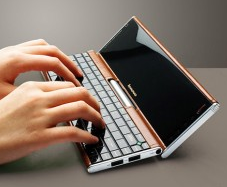
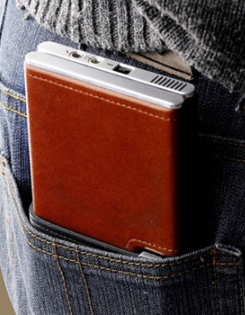
Netbook Computer
| PDA (Personal Digital Assistant) - a handheld computer,
|
January 17, 2007 Video of Steve Balmer
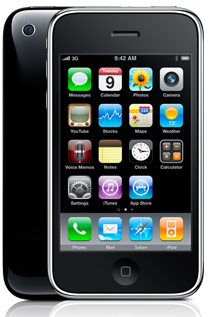
iPhone was released on June 29, 2007

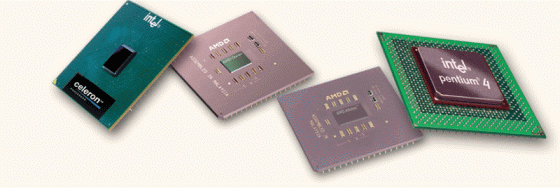 performs the instructions of a computer's
programs. The term processor has generally replaced the term central processing
unit. A microprocessor is a computer processor on a
performs the instructions of a computer's
programs. The term processor has generally replaced the term central processing
unit. A microprocessor is a computer processor on a 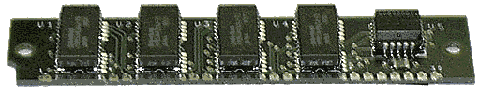 It is volatile in that when the power blinks,
everything in RAM is lost. When we type a letter or term paper on the computer, everything we type is stored
in RAM, until we save it to a file on a disk. Today RAM is measured in gigs (GB
or gigabytes) - 1 or 2 GBs of RAM is standard in a PC today. ROM
stands for Read Only Memory and holds information that is permanently stored
there to hold information the computer needs when it boots (is first turned
on).
It is volatile in that when the power blinks,
everything in RAM is lost. When we type a letter or term paper on the computer, everything we type is stored
in RAM, until we save it to a file on a disk. Today RAM is measured in gigs (GB
or gigabytes) - 1 or 2 GBs of RAM is standard in a PC today. ROM
stands for Read Only Memory and holds information that is permanently stored
there to hold information the computer needs when it boots (is first turned
on). 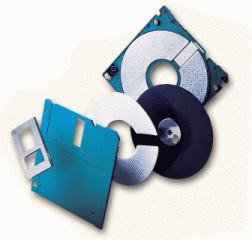 There
is actually a flexible magnetic film inside the hard protective cover that holds
the information - 1.44 megabytes of information! A floppy disk will hold
1,440,000 characters of information. If we were to imagine that a double-spaced,
typed page contained approximately 1,000 characters, a little 3.5" floppy disk
will hold the equivalent of 1,440 typed pages! A ream of paper that you put in a
copier is typically only 500 sheets of paper. This little diskette holds the
equivalent of almost three reams of paper filled with double-spaced, typed
words!
There
is actually a flexible magnetic film inside the hard protective cover that holds
the information - 1.44 megabytes of information! A floppy disk will hold
1,440,000 characters of information. If we were to imagine that a double-spaced,
typed page contained approximately 1,000 characters, a little 3.5" floppy disk
will hold the equivalent of 1,440 typed pages! A ream of paper that you put in a
copier is typically only 500 sheets of paper. This little diskette holds the
equivalent of almost three reams of paper filled with double-spaced, typed
words! 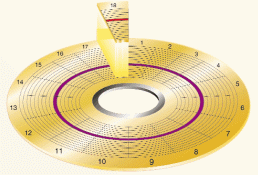 was
pre-formatted when you got it, it must be formatted. Old diskettes can be
formatted to remove old files and folders, making it just like a brand new blank
diskette. Formatting actually writes blank tracks and sectors on the diskette,
erasing everything that was on it - except for a quick format which only
clears the directory track allowing the computer to think that the disk is
blank. Quick formatting can only be done on a disk that has already been
formatted at some time before.
was
pre-formatted when you got it, it must be formatted. Old diskettes can be
formatted to remove old files and folders, making it just like a brand new blank
diskette. Formatting actually writes blank tracks and sectors on the diskette,
erasing everything that was on it - except for a quick format which only
clears the directory track allowing the computer to think that the disk is
blank. Quick formatting can only be done on a disk that has already been
formatted at some time before.